16 October 2024

Team 11 Submission


The games we chose were Touhou 5: Mystic Square, and IQ Ball.


As Touhou 5 is not available on the internet, here is instead the Touhou 5: Mystic Square Wiki: https://en.touhouwiki.net/wiki/Mystic_Square


Touhou 5: Mystic Square is a Shoot ‘em Up game, and the fourth of its kind in the Touhou series. In the game, the player needs to dodge various bullet patterns while shooting at opponents. The game uses arrow keys for movement, and by default uses Z to shoot, X to bomb, and Shift to Focus. Focusing slows your character to make it easier to dodge tighter patterns.


Part of the reason for choosing Touhou is due to the series being relatively same-ish. This is to say that for all 18 of the series entries, none of them introduce new controls or inputs to vary gameplay. With our new controllers, Touhou players can have a way to experience the games in a new way.


IQ Ball Website: https://www.coolmathgames.com/0-iq-ball


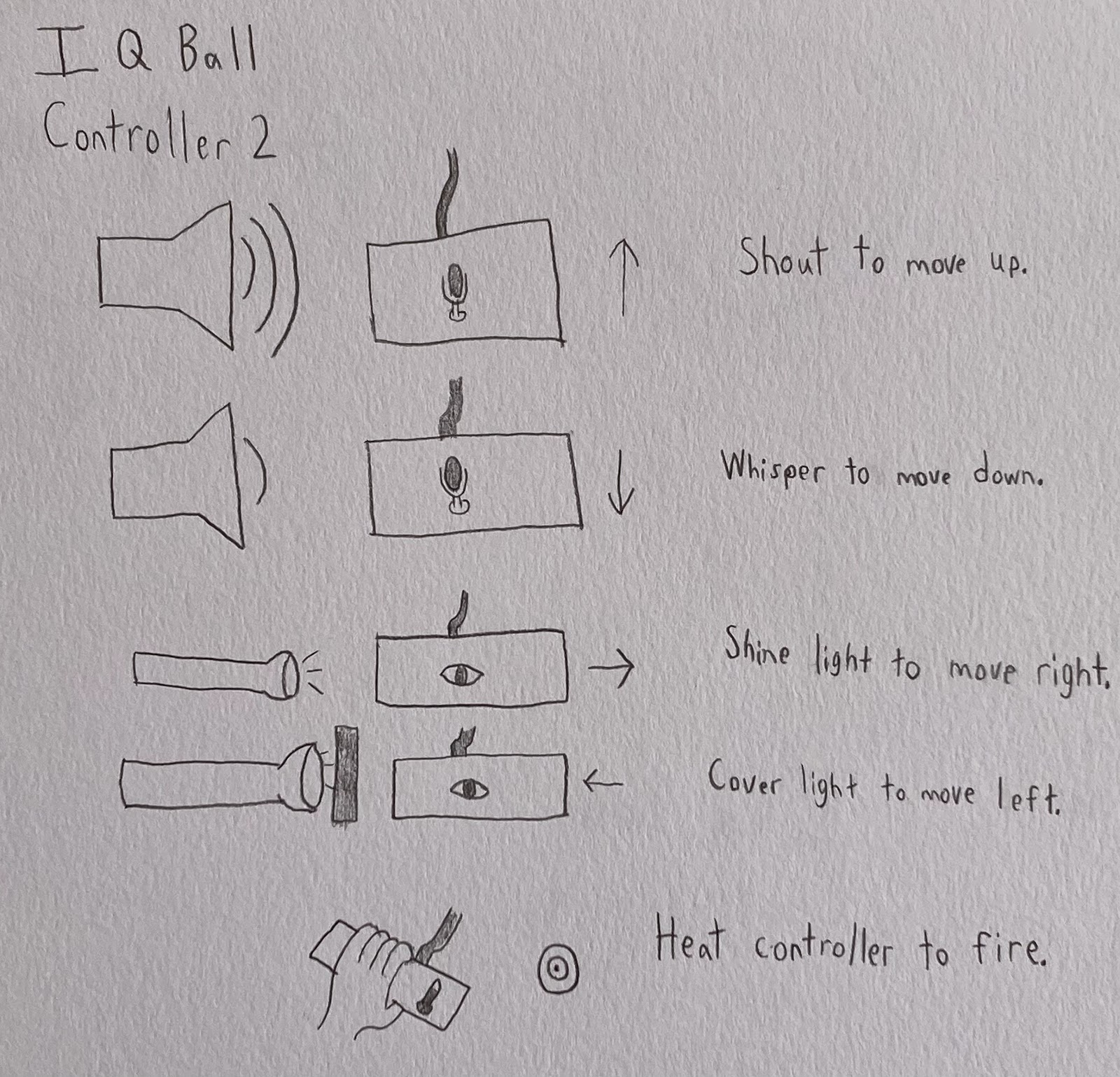
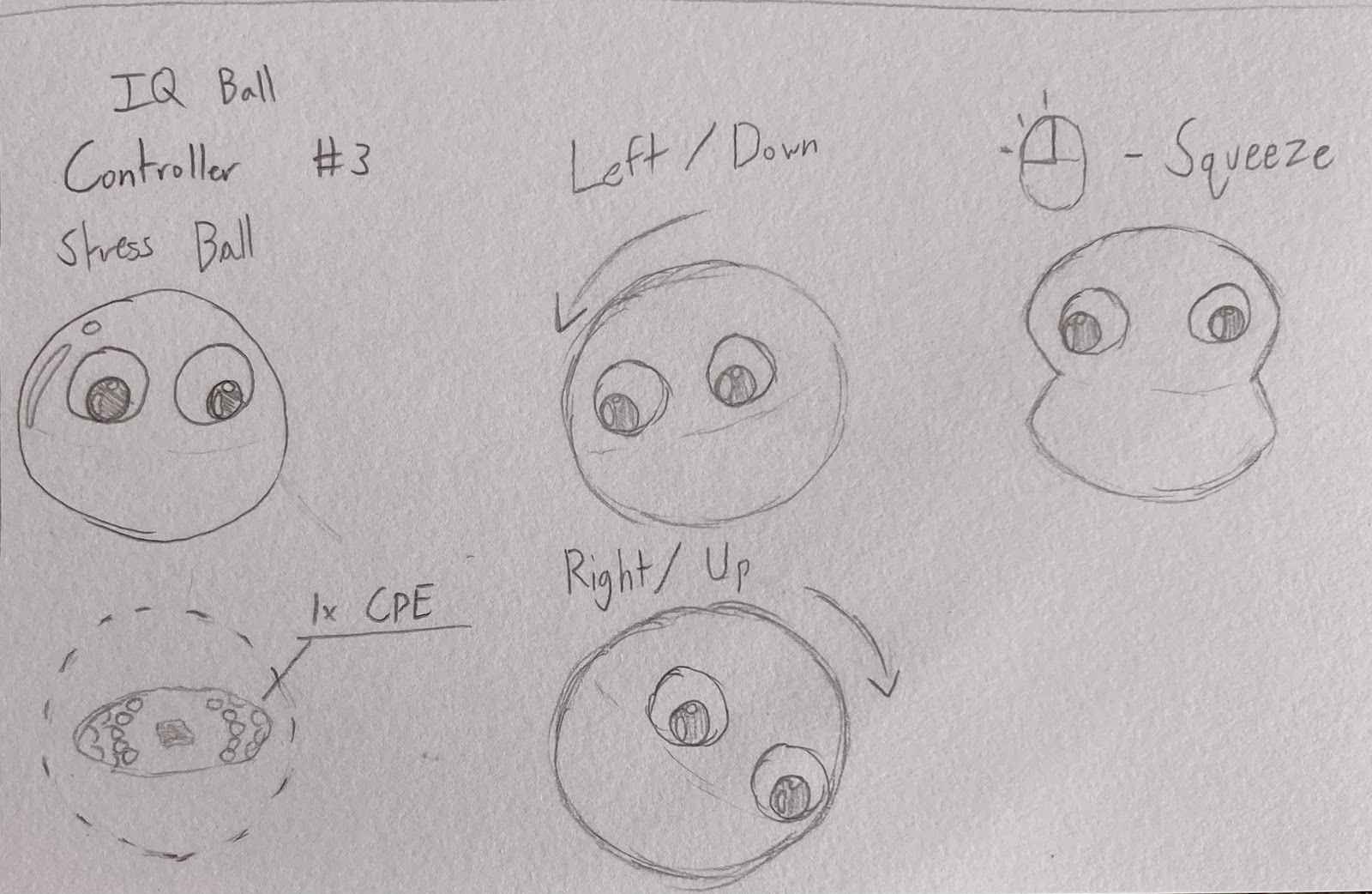
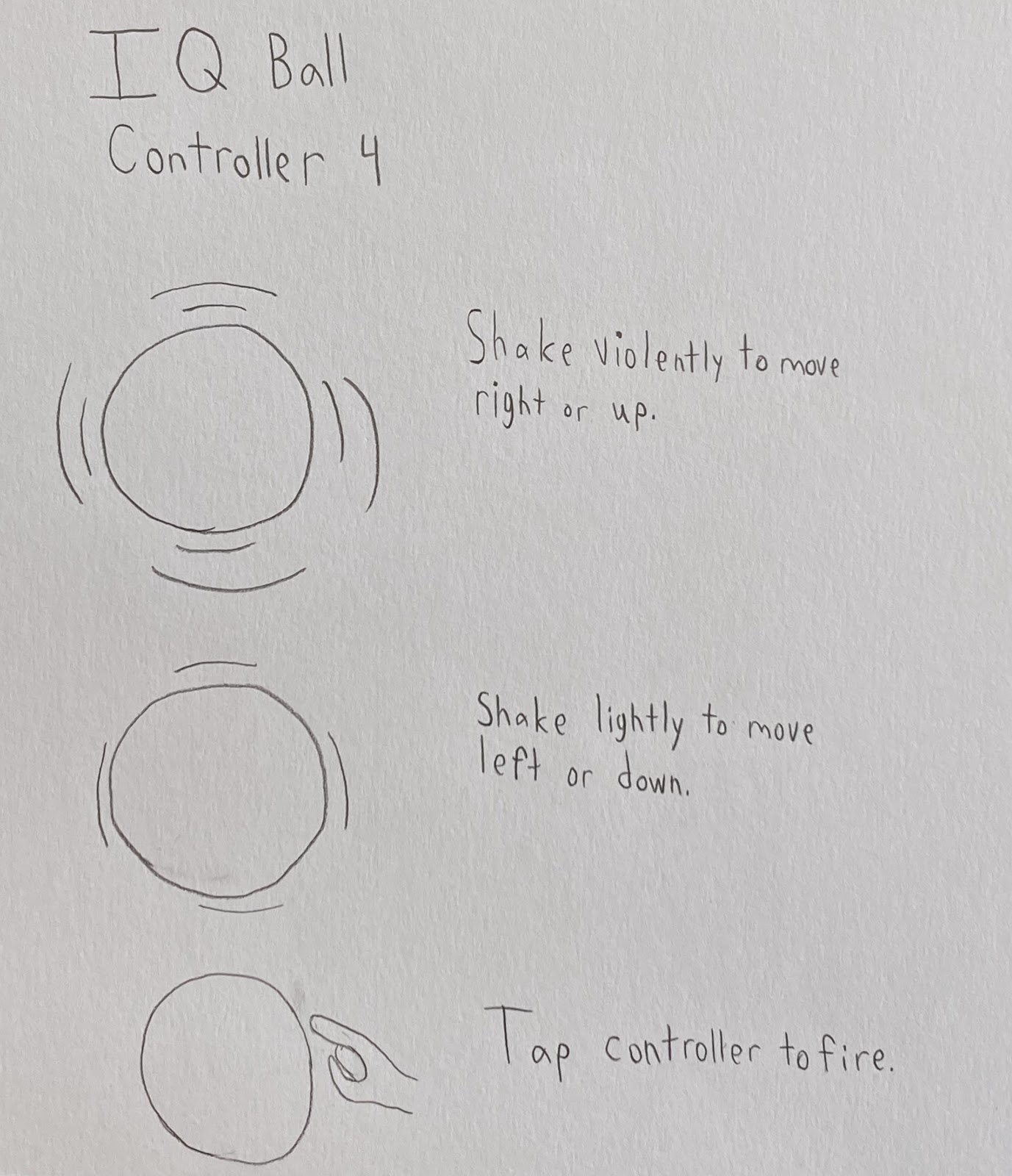
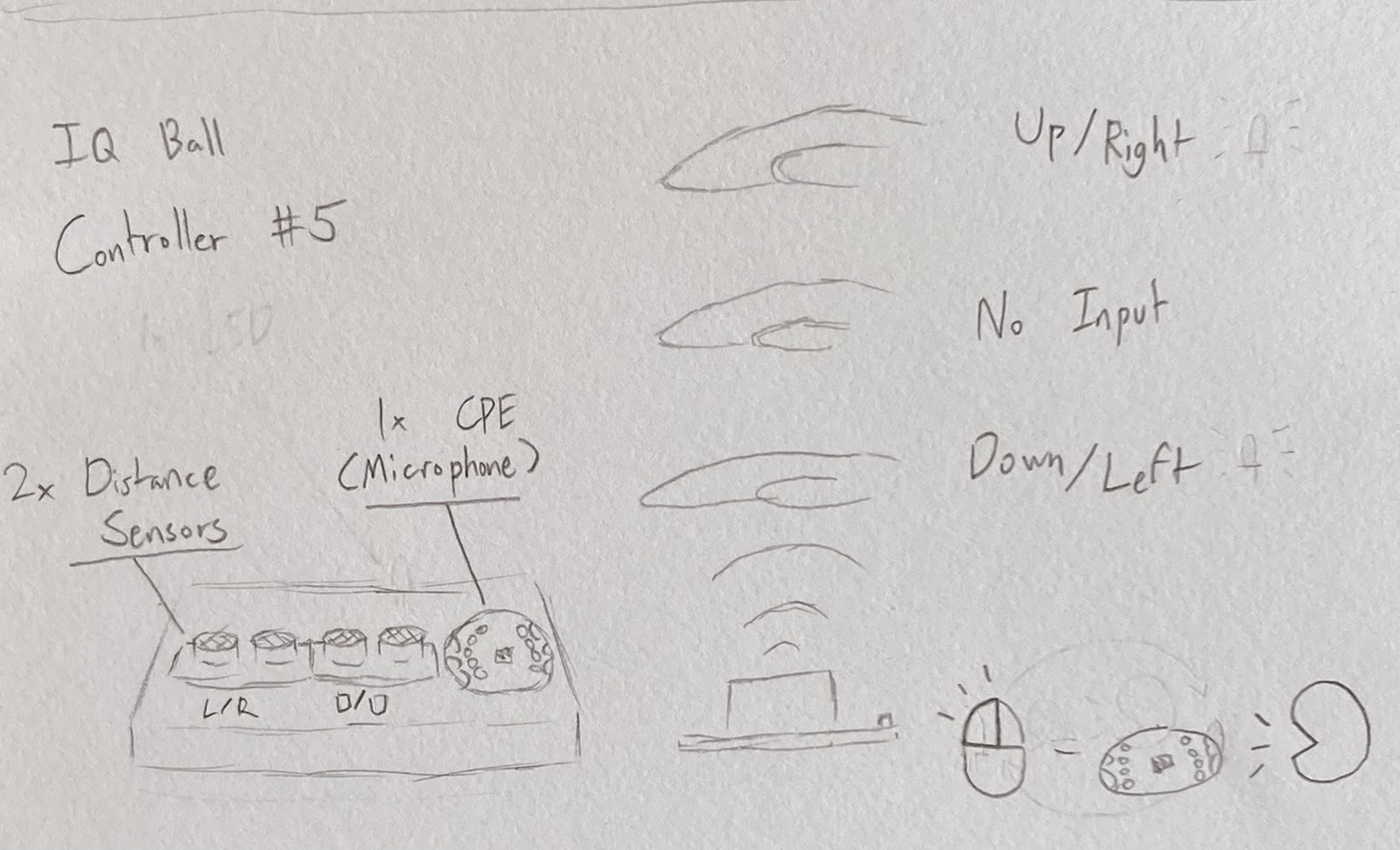
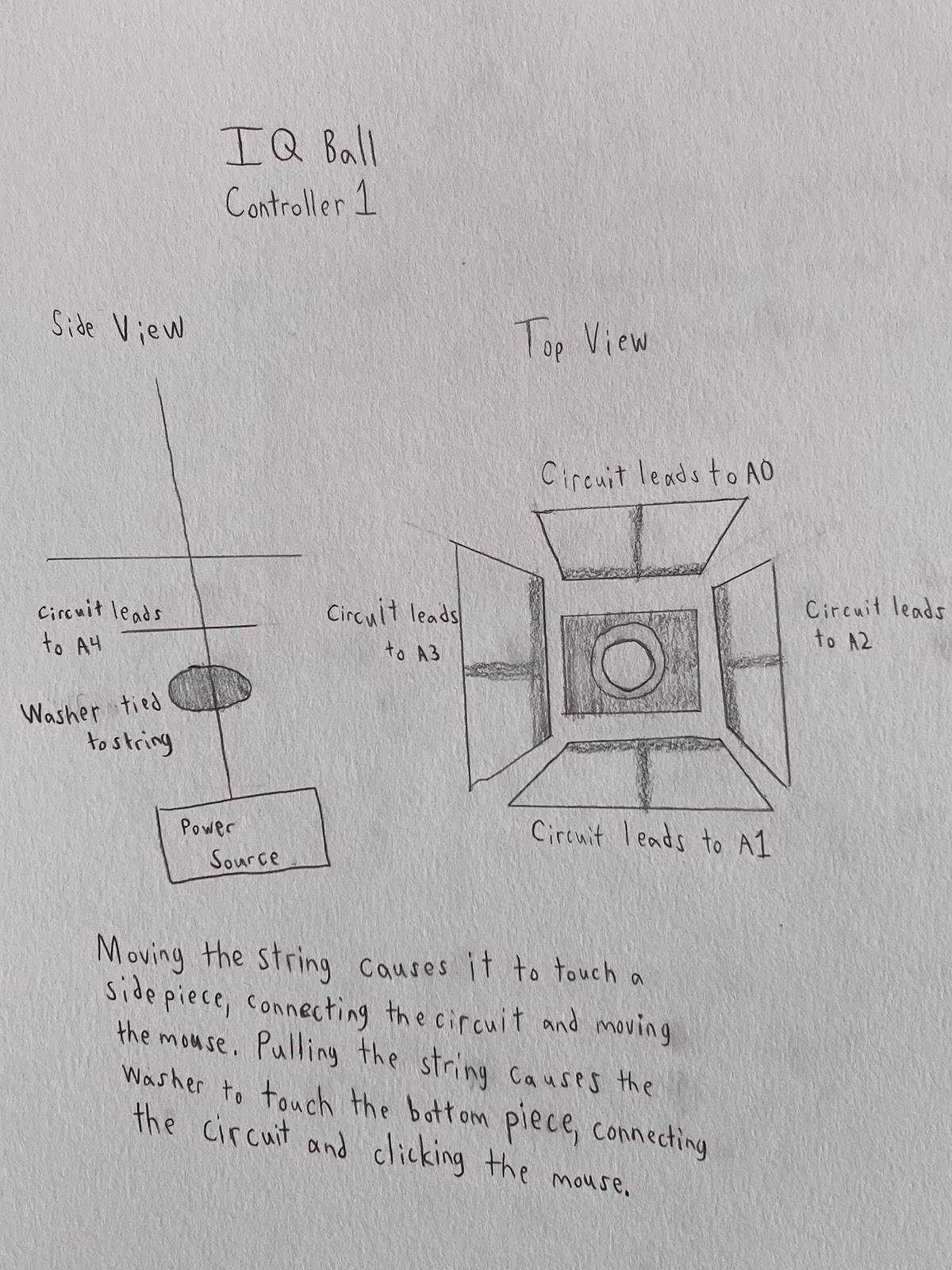
IQ Ball is a mouse-only puzzle game. The game’s main mechanic is the tether, which fires towards the reticle controlled by the mouse, and is fired when pressing the left mouse button. 


This choice is partly inspired by nostalgia, as well as a consequence of the project's constraints. While the puzzles are interesting, the game's controls are very simple. Using our new controllers, we can introduce a new way to play that adds complexity to the game.


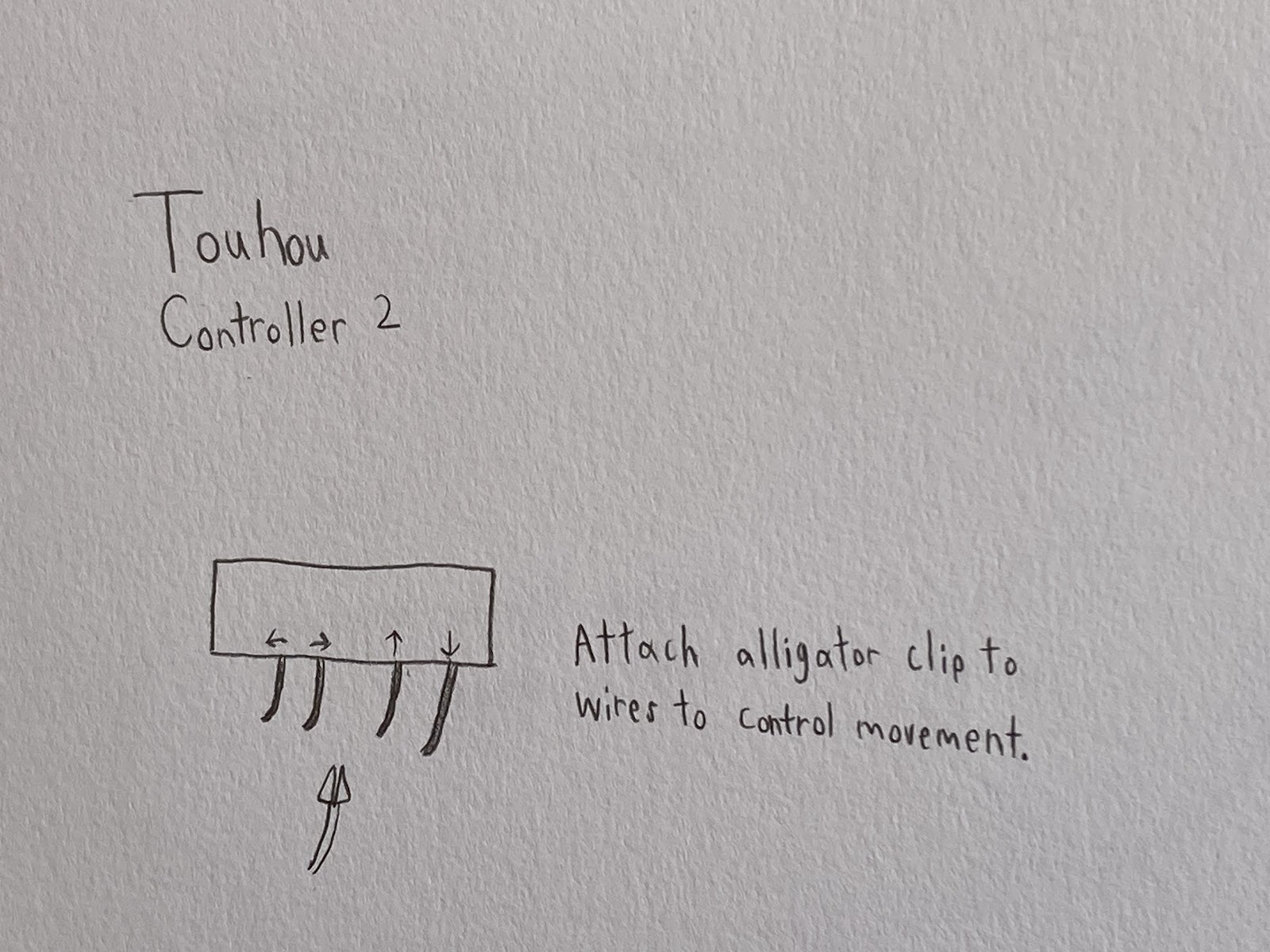
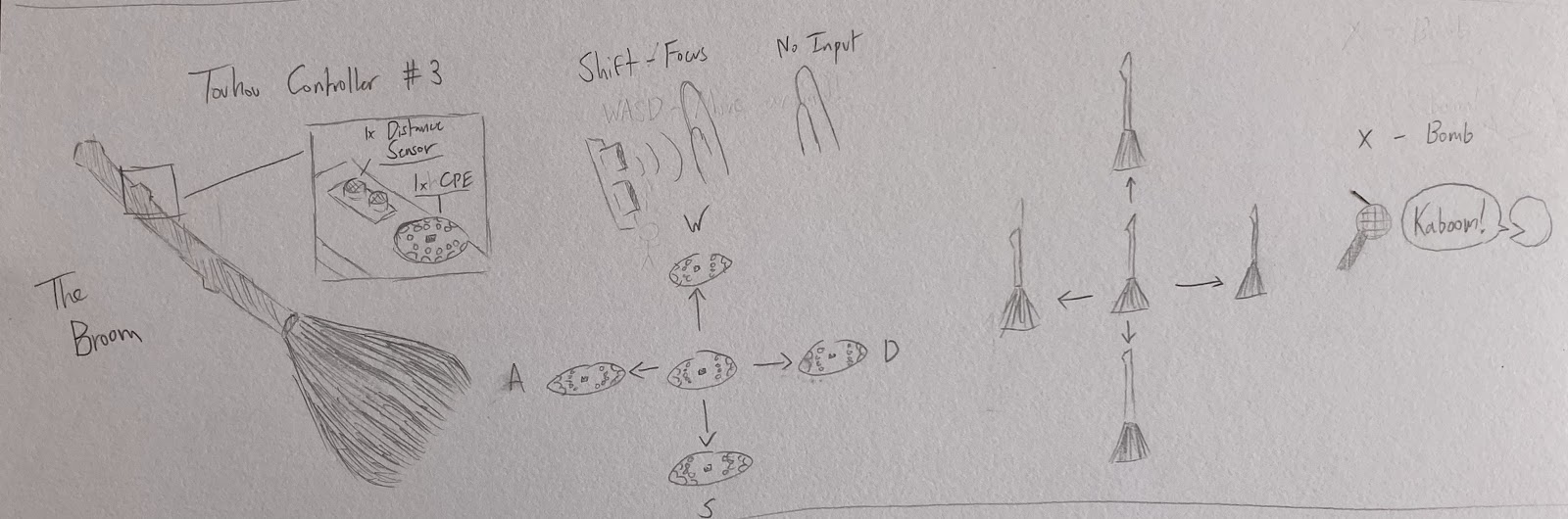
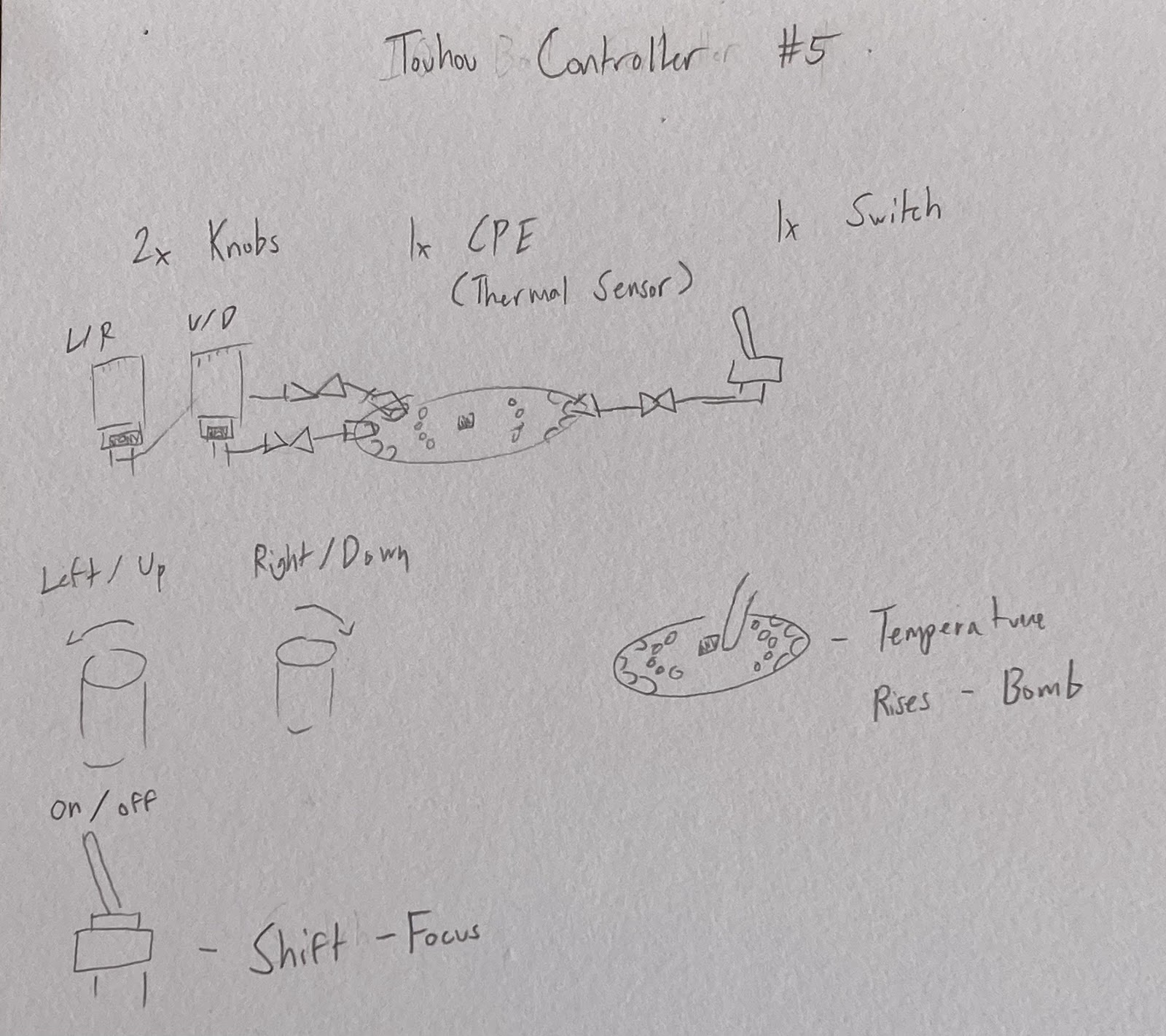
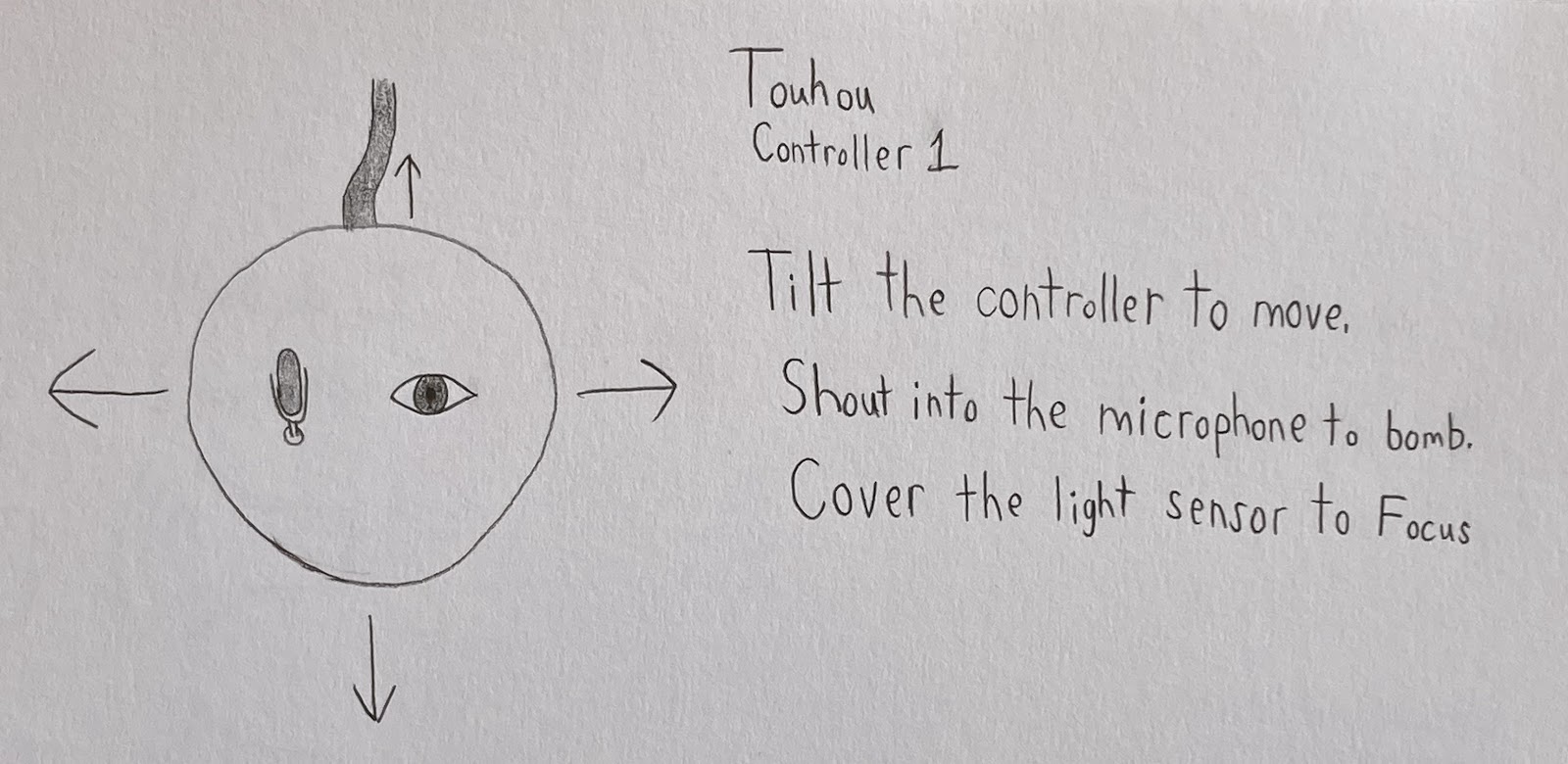
Question 1: The second Touhou controller uses the temperature sensor to bomb. In Touhou 5, there is a 3 second cooldown between using bombs. Is this cooldown long enough to let the temperature sensor cool down, or will the sensor be too likely to use all of the player’s bombs at once?


Question 2: Controller 3 for IQ ball involves both a button and a knob hidden inside of a stress ball that is designed to look like the main character of the game. This is intended to be manipulated with the player’s hands. Does this control scheme fit with the rules, or is it too similar to a normal controller?


Sketches 


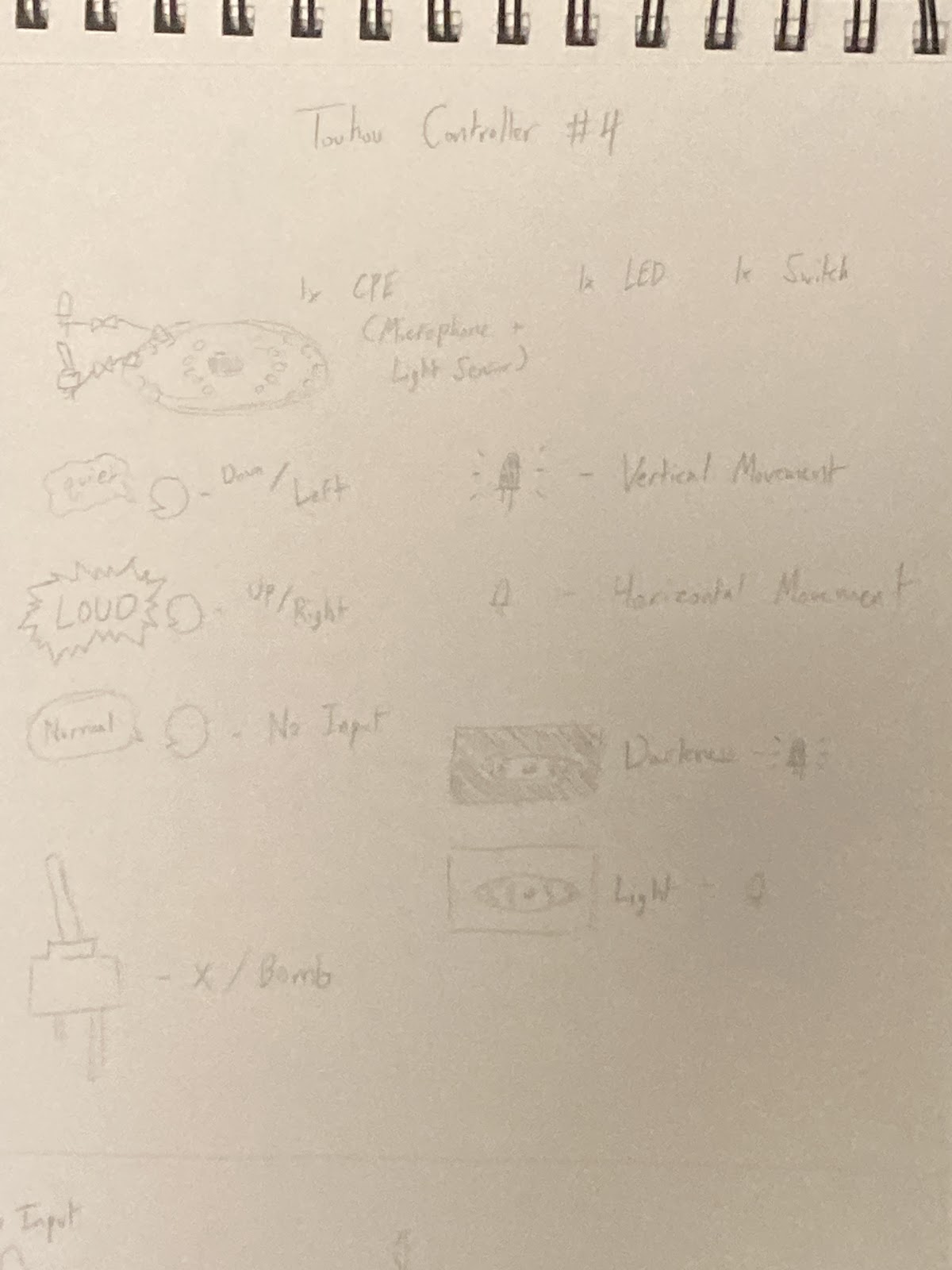
Touhou 5: Mystic Square -


 IQ Ball -
 

Final Project Concept Review - Team 1

Game 1: Minecraft

https://classic.minecraft.net/?join=DAuqqkaPLwfXJ0xL

We picked Minecraft because it is one of, if not, the most popular games in the world.

In Classic Minecraft, the controls are:

  • WASD/Arrow Keys - Move
  • MOUSE - Camera
  • LMB - Break / Place Block
  • RMB - Toggle LMB
  • Space - Jump
  • Mouse Scroll Wheel - Navigate Hotbar

In Modern Minecraft, there are more controls and a whole inventory:

  • LMB - Attack / Break Block
  • RMB - Place Block / Interact / Use Item
  • CTRL - Sprint
  • SHIFT - Crouch
  • Q - Drop Items
  • 1-9 - Navigate Hotbar

and a lot more intricate controls...

There's some odd choices when it comes to both control schemes. Using the RMB to toggle what the LMB does isn't a common thing, you'd usually have one button do one thing and the other do another thing. Having Shift as Crouch & Control as Sprint is the opposite of the standard seen in most games: Shift = Sprint & Ctrl = Crouch. Also having to double click control and double click jump in order to do some actions is a little unnatural, creating a new input for these actions would make it easier.

Translating some of these controls to a new controller is weird but some fit well. Using the dial to navigate the hotbar would feel natural. Separating the classic version of the LMB into two buttons instead of a button and a toggle make the controls better. And turning any action that requires a double click into its own button could help some players who struggle to double click.

Questions

Seeing as though Minecraft is a game with a lot of controls, which controls are the most important for a simple playthrough? Are the Classic controls ideal?

Would the essential controls of Minecraft translate well into a controller? And if so, would the game still be fun if it is? 

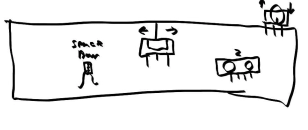
Sketches


Game 2: Happy Wheels

https://totaljerkface.com/happy_wheels.tjf?level_id=562820

We picked Happy Wheels because it is a simple flash game we used to play in our childhoods.

The basic controls are:

  • Up Arrow - Move Forward
  • Down Arrow - Move Backwards
  • Left/Right Arrows - Lean
  • Z - Eject

There are also some controls that are unique depending on which character you pick:

  • Shift
  • Control
  • Space

Because the game is 2D, having the up and down arrow for moving forward and back is a bit awkward. A controller where you can interact with a switch/button in the direction that you are moving would feel more natural.

Using a dial or switch for moving forwards/backwards or leaning is more realistic to the vehicle theme of the game. Using a switch could be similar to shifting a car from park to drive or reverse to park. Turning a dial is similar to the leaning motion that the characters make. Having the eject button be something interesting like screaming loudly for the sound sensor makes the experience a lot more interactive.

Questions

Should we base the controller on an individual character, or on the general gameplay as a whole?

Would the game be more fun or frustrating on an alternative controller?

Sketches


Team 4 Concept Review

 Concept Review - Team 4 ( Angry Birds & Super Mario)


Super Mario: https://gombis.com/g/super-mario-bros-classic

Angry Birds: https://gombis.com/g/angry-birds-classic

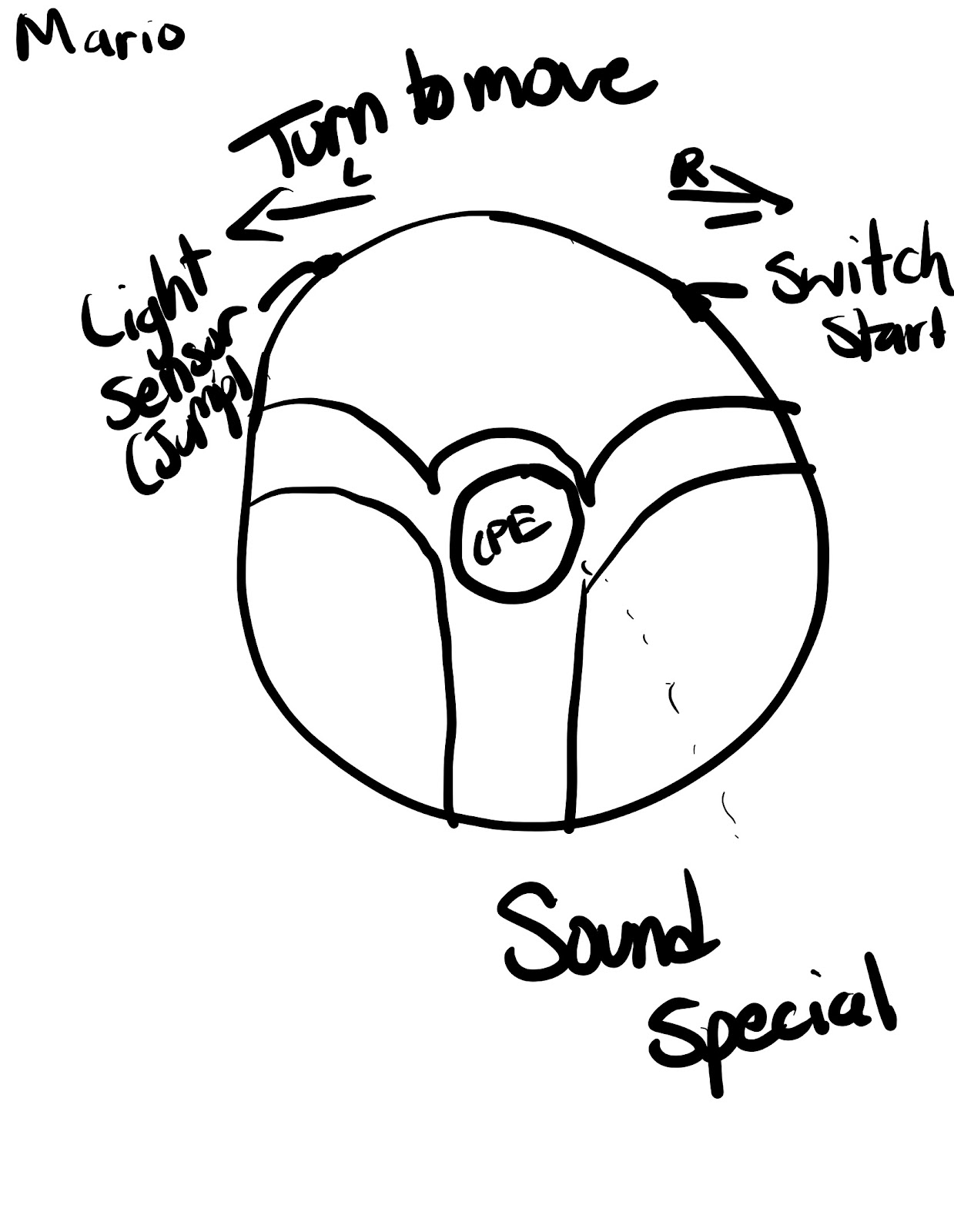
The reason we chose these two games was their ties to our childhood and the nostalgic feeling while playing these games. We wanted to make controllers that would enhance the feel of the game bringing a new to already classic games.  The core mechanics of Angry Birds are pulling, releasing, and angling your bird while Super Mario is a basic movement to the left and right, jumping and using your special attack. Using motion controls on replica models of objects in the game allows players to feel more immersed in the gameplay, for example, a slingshot for angry birds and a character model for Super Mario. 

Questions:

Super Mario: Would the light sensor movement be to slow and not optimal for super mario? Is a motion sensor better for game play  enjoyment? 

Angry Birds: Which design will offer the best gameplay?


Super Mario:


Angry Birds


Scaffolding Concept Review - Team 17

Scaffolding Concept Review - Team 17

Jordan Oliver
Gary Hazelgren
Michael Letso

Run 

Website: Run


Run is an endless runner platformer game where players use the arrow keys or WASD to move and jump. The goal of the game is to navigate through tunnels and avoid falling off. Gravity can shift as you run along different walls. 


The simple mechanics make it a great candidate for alternative controllers, while the fast-paced nature of the game could be enhanced by more dynamic or physically engaging input methods.


We want to create an immersive experience by designing a controller where the player physically shifts or rotates a handheld object to change direction in the game.


Geometry Dash


Website: Geometry Dash


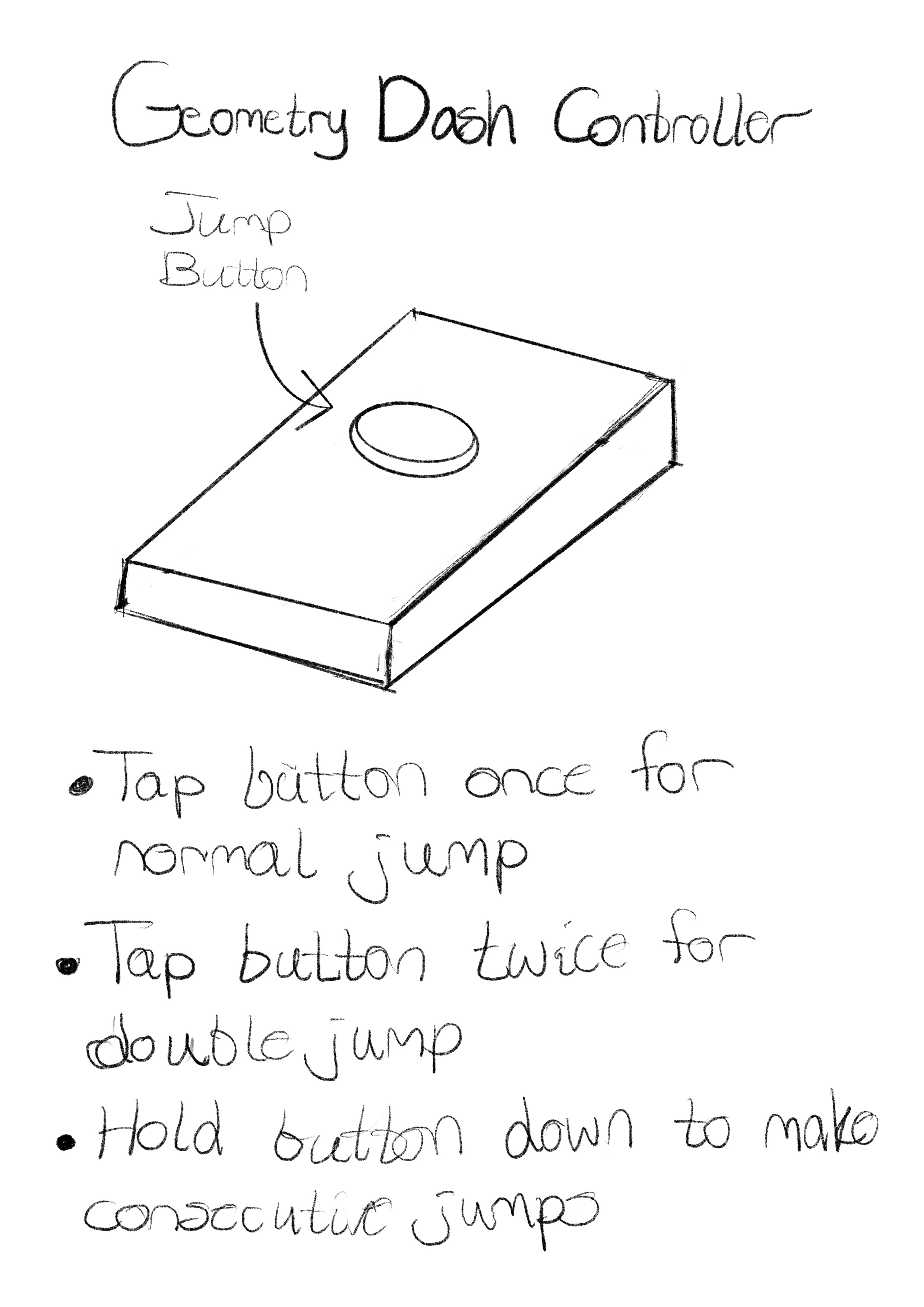
Geometry dash uses just one input, tapping or clicking to jump over obstacles and avoid hazards. Timing is everything, and the difficulty ramps up quickly as the levels progress.


The simplicity of the single control jump allows for creativity in designing alternative input methods. Since it’s rhythm-based, a controller that incorporates timing or rhythm-sensing mechanisms could elevate the experience.


We have an idea for the design of the controller that requires tapping or squeezing an object in rhythm with the game, or use a pressure-sensitive pad that requires the player to apply different amounts of force depending on the jump's height.


  • How intuitive are the control mechanisms?


  • Is the connection between the controller and the game's mechanics clear?

Scaffolding Concept Review - Team 19 (Fall Guys and Content Warning)

Aiden Richmond

Leonardo Santa

Our main motivation for these games would be that the controls are relatively simple and it would be very funny to play with these alternative controllers. This also leads to creative thinking for the potential controls for these games. For Fall Guys, the core mechanics include jumping, diving, and grabbing objects while racing to qualify against other players. For Content Warning, the main mechanic is recording videos with friends and uploading them for views. Some other mechanics of the game involve jumping, crouching, and moving around the camera. We believe both games could benefit from alternate controllers that are more engaging and immersive to the players. One of the most interesting ideas we had was using the different flex sensors to make inputs in our game, like using the arms of a character in real life to grab in the game.

The questions from the inquiry that motivated us:

How can you connect the controller (and the controls) to the game world/narrative?

How might you augment an existing non-digital object with sensors?

Some questions we would like to be peer reviewed:
How effective would some of the inputs be in implementation and user ability?
What other potential ways that can we implement movement of the player/camera that would be effective?

Links:

https://www.fallguys.com/en-US

https://store.steampowered.com/app/2881650/Content_Warning/


Fall Guys:

Fall Guys Plushie Controller


Fall Guys Hammer Controller


Fall Guys Crown Controller


Fall Guys Obstacle Controller

Fall Guys Car Controller

Content Warning:

  Boom Mic Controller

Flashlight Controller

Helmet Controller

Clapper Board Controller

Content Warning Camera Controller